
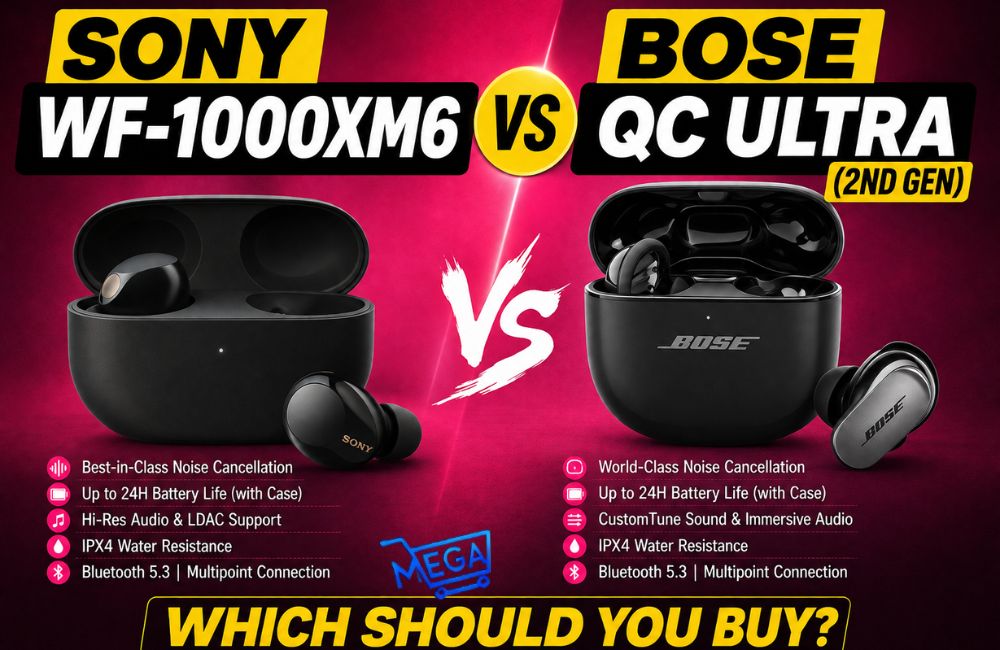

The Bose QuietComfort Ultra Earbuds 2nd Gen are premium wireless earbuds built around three things that matter most to many buyers: excellent noise cancellation, strong sound quality, and a comfortable, secure fit. They are especially appealing for flights, commuting, office use, and any environment where background noise gets in the way.
If you are deciding whether these earbuds justify their high price, the short answer is this: they are a strong buy if you want top-tier ANC and rich audio. Their biggest drawbacks are average battery life for the class and a price that may be hard to justify for casual use.
Who the Bose QuietComfort Ultra Earbuds 2nd Gen are Best for

See Also: How To Clean Wireless Earbuds The Right Way
These earbuds make the most sense for people who regularly deal with noisy spaces and want a premium listening experience.
- Frequent travelers who want to reduce airplane and airport noise
- Commuters who need strong ANC on trains, buses, or in busy terminals
- Remote workers and office users who switch between music, calls, and awareness of surroundings
- Listeners who prioritize sound quality and want deep bass without muddy mids or highs
- People who use more than one device and benefit from multipoint Bluetooth
What Comes in The Box
Inside the package, you get the essentials needed to start using the earbuds and fine-tune the fit.
- The earbuds
- A charging and storage case
- Three pairs of ear tips
- Three pairs of stability fins
- A USB-A to USB-C charging cable
Design and Comfort
At first glance, these earbuds look fairly large. In actual use, they are more streamlined than they appear. Much of the body sits in the ear’s concha rather than jutting outward, which helps them look and feel less bulky.
Comfort is generally solid, especially once the ear tips and stability fins are matched properly. The interchangeable parts matter here. A better fit can make the difference between earbuds that feel secure and earbuds that either press too much or loosen too easily.
One thing to note is that the sizing may feel a bit large for some ears. That does not automatically make them uncomfortable, but it does mean that fit testing is important. If you have smaller ears, expect to spend a little time finding the best tip and fin combination.
Sound Quality
Sound quality is a major strength. The tuning delivers powerful bass, clear vocals, and good separation across lows, mids, and highs. That balance matters because it keeps the bass engaging without drowning out details in podcasts, music, or shows. Key sound impressions include:
- Deep, satisfying bass with strong impact
- Clear mids and highs that preserve detail
- Sharp vocal presentation for speech and singing
- Versatility across music, podcasts, TV, and calls
How Good is The Noise Cancellation?
Noise cancellation is one of the standout features and arguably the main reason many people consider Bose in the first place.
The Quiet mode uses microphones to detect ambient sound and digitally reduce it. In practice, it is extremely effective, especially in loud travel environments. It is particularly useful for cutting down engine hum, chatter, and general airport or cabin noise.
Compared with another premium set tested in the same travel setting, the Google Pixel Buds Pro 2, the Bose earbuds delivered stronger ANC in their standard Quiet mode.
One limitation is that the basic Quiet mode’s cancellation level is fixed. You cannot directly fine-tune that specific setting. If you want more control over the balance between isolation and environmental sound, custom modes become important.
Sound Modes Explained
These earbuds include several listening modes, with some flexibility depending on how you configure them in the Bose app.
Quiet mode
This is the main active noise cancellation mode. It is ideal for flights, public transit, focused work, or any situation where you want maximum isolation.
Aware mode
This mode lets outside sounds in so you can stay aware of announcements, conversations, and other sounds at home and work.
ActiveSense in Aware mode
ActiveSense automatically reacts to sudden loud noises by softening them while still allowing useful surrounding audio through. This can be especially helpful in places like airports, where you want to hear important information but do not want every loud nearby sound to hit at full volume.
Immersive mode
Immersive mode combines noise cancellation with spatial audio or head tracking to create a more immersive, 360-degree feel. It is particularly well suited to music and movie playback when you want a more cinematic presentation.
Custom mode
Custom mode lets you personalize the sound profile and, in some cases, adjust the balance between noise cancellation and awareness. This is useful if the default modes do not perfectly match the amount of outside sound you want to hear.
Can You Quickly Switch Between Quiet and Aware Modes?
Yes, but this is one area where the experience could be smoother. You can press and hold an earbud to switch between selected modes, but mode management depends on the app. If you frequently want small adjustments rather than jumping between full isolation and full awareness, the process is less convenient than it could be.
A more direct on-screen slider for fast access would make these earbuds easier to tune on the fly.
Bose app Features
The Bose app adds several useful controls and status details, including:
- Detailed battery reporting
- Case-specific battery level reporting
- Mode configuration
- Custom sound mode setup
- The option to disable touch controls
Note
The ability to disable touch controls is easy to overlook, but it can be valuable for people who accidentally trigger commands while adjusting the earbuds.
Battery Life and Charging
Battery life is good enough, but it is not a category leader. This is best described as average battery life for premium true wireless earbuds. It should be enough for most daily use and many flights, but people who want the longest endurance available may want to compare alternatives.
A welcome upgrade is wireless charging, which adds convenience for desk, bedside, and travel use.
- Up to 6 hours in the earbuds
- Up to 18 additional hours from the case
- Up to 24 total hours on a full charge
- About 2 hours to recharge
Call Quality and Microphone Performance
Call quality is another strong area. The earbuds feature improved call quality with AI-based background noise suppression, helping your voice come through more clearly in busy places.
For anyone who takes calls from airports, cafes, offices, or city streets, that improvement matters just as much as ANC does for listening.
Multipoint Bluetooth and Single-Earbud use
The Bose QuietComfort Ultra Earbuds 2nd Gen support features that make everyday use more flexible.
Multipoint connection
You can connect the earbuds to multiple devices at once, such as a phone and tablet. To switch between them, simply pause audio on one device and start playback on the other.
This is especially useful for people who move between work and personal devices throughout the day.
Use one earbud at a time
You can also use a single earbud independently if you prefer. That can be useful for calls, maintaining awareness, or stretching battery life across a longer day.
What’s new Compared with the Previous Generation?
If you are upgrading from the original model, the main additions and improvements include:
Wireless charging
- Case battery level reporting in the Bose app
- The ability to disable touch controls
- Improved ActiveSense noise cancellation technology
- Improved call quality with AI-based background noise suppression
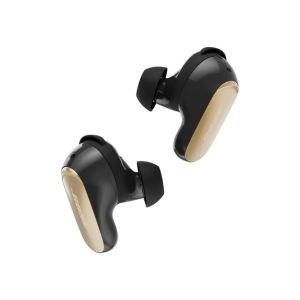
Bose QuietComfort Ultra Earbuds 2nd Gen
- Outstanding noise cancellation
- Excellent sound quality with powerful bass and clear detail
- Effective Aware mode and Active Sense
- Immersive mode for spatial audio and head tracking
- Multipoint Bluetooth works very well
- Wireless charging adds convenience
- Good microphone and call quality
- Quick control over ANC and awareness could be easier
- Battery life is average, not exceptional
FAQs
Are the Bose QuietComfort Ultra Earbuds 2nd Gen good for flying?
Yes. They are especially well suited to flights thanks to their excellent noise cancellation, strong sound quality, and Aware mode for hearing announcements when needed.
Do they support wireless charging?
Yes. Wireless charging is one of the notable upgrades in this generation.
Can they connect to two devices at the same time?
Yes. They support multipoint connection, allowing simultaneous pairing with multiple devices.
Can you use just one earbud?
Yes. Single-earbud use is supported.
Is the noise cancellation adjustable?
The standard Quiet mode uses a fixed level of ANC, but custom modes can help you tailor the balance between isolation and environmental sound.
Conclusion
The Bose QuietComfort Ultra Earbuds 2nd Gen are a premium pair of true wireless earbuds that deliver where it counts most. The sound is excellent, the ANC is among their biggest strengths, and practical features like multipoint and wireless charging add real everyday value.
They are not cheap, and the battery life is only average. But if your priority is blocking out the world while enjoying high-quality audio, these earbuds are a very compelling option.